You ask whether your firm’s files are backed up, and the answer is yes. That should be reassuring, but it may leave the question you care about unanswered: if a matter folder disappeared this afternoon, could your team get it back and keep working? I want you to have a clear way to check that answer without having to become your firm’s IT manager.
The short version
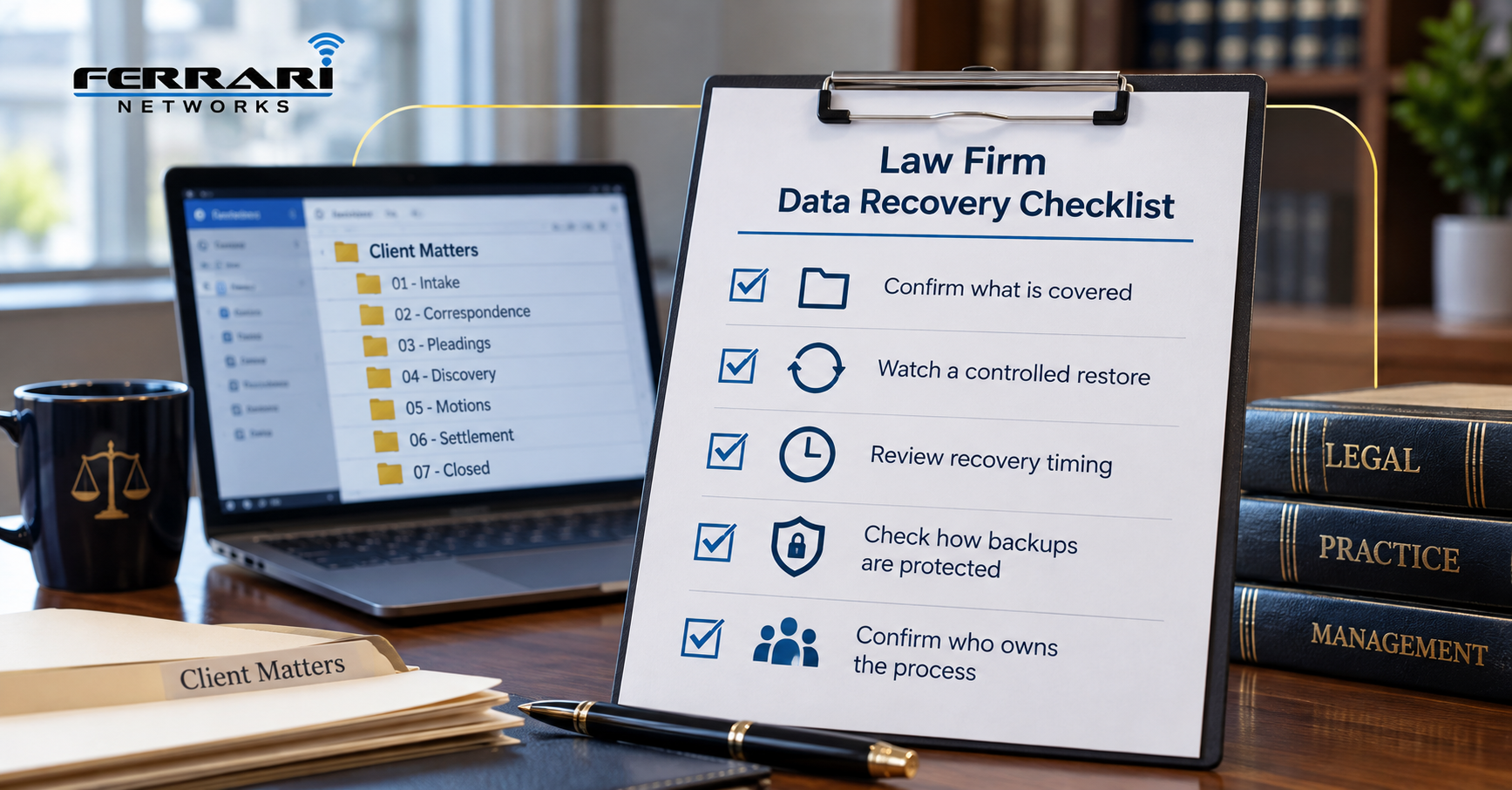
A successful backup report shows that a backup process completed; it does not, by itself, prove your team can resume work. To assess recovery readiness, check what is covered, watch a controlled restore, review timing, examine how backup copies are protected, and confirm who owns the process.
How we chose
This is a practical checklist, not a ranking of backup products. I selected these checks using the following criteria:
- Relevance to legal work: Does the check address the files, applications, and access your firm needs to serve clients?
- Evidence: Can the answer be supported by a demonstration or record?
- Understandable results: Can a firm owner or office manager judge the outcome without technical training?
- Actionable findings: Will the check reveal a gap someone can take responsibility for fixing?
The examples below are illustrative. They are not accounts of actual clients or recovery results.
The list
1. Check whether the backup covers where people actually save their work
Start with the work, then follow it to its storage location.
Imagine an assistant saving signed documents in a shared folder while an attorney keeps working drafts on a laptop. Another employee stores correspondence in Outlook. A backup of the office server doesn't show what happens to information in those other places.
I would ask your provider for a coverage list that names systems in terms your staff recognizes.
Useful entries might include:
- Matter folders on the office server.
- Documents in Microsoft SharePoint or OneDrive.
- Email and shared mailboxes.
- Files stored locally on approved computers.
- Practice management and accounting information.
- Settings and other components needed to make recovered systems usable.
For each entry, ask what recovery method applies and what is excluded.
Be specific about cloud applications. “It’s in Microsoft 365” does not explain which recovery features your firm has, how they are configured, or what situations they cover.
For example, Microsoft documents a 93-day retention period for deleted SharePoint items, measured from deletion from their original location. Items can be permanently removed earlier, and separate retention settings may affect what remains available. That recycle-bin process should not be mistaken for a complete description of your firm’s backup arrangements. Source: Microsoft SharePoint recovery documentation.
What to request: A written coverage list, with exclusions and a named person responsible for keeping it current.
2. Watch a controlled restore of a representative matter folder
The most useful demonstration ends with someone checking that the recovered information works.
Ask your provider to arrange a controlled test. Choose a representative folder or approved test material, and agree on a safe destination before the work begins.
Do not delete live client files to create the test. Do not restore over current work simply to see what happens.
A useful test should check more than whether filenames appear:
- Can the authorized reviewer open the documents?
- Is the expected content present?
- Are the needed versions available?
- Does the folder structure make sense?
- Are access restrictions appropriate?
- Does the material work in the application the firm uses?
Imagine restoring a litigation folder containing Word documents, scanned PDFs, and spreadsheets. Seeing those files listed is encouraging. Opening them and checking the contents provides stronger evidence.
Some applications also need databases, configuration, or other supporting components. A folder test should not be described as proof that the whole firm could recover. Regular backup testing can help uncover problems before a real outage leaves your team waiting for important files.
The UK National Cyber Security Center recommends maintaining tested backups and planning restoration processes that account for data, applications, identity systems, and configuration. This helps you look beyond copied documents when assessing broader recovery. Source: NCSC technical recovery guidance.
What to request: A short test record showing what was restored, who checked it, what passed, and what still needs attention.
3. Separate “how much work could be missing?” from “how long would we be waiting?”
These questions sound similar, but they measure different problems. The first concerns how recent the recoverable information is. The second concerns how long it takes to make the required work available again.
Your provider may call these the recovery point objective and recovery time objective. In plain English, they describe your targets for acceptable data loss and acceptable interruption. For a law firm, downtime can affect more than productivity. Delayed access to important files can also interfere with client communication and damage trust.
Consider this hypothetical situation: a backup runs overnight, but an important document changes during the morning. Restoring the overnight copy may recover the document without recovering the latest edits.
Now consider a separate issue. The right copy exists, but restoring the system requires equipment, application setup, permissions, and checks before employees can use it.
Ask your provider to distinguish:
- The firm’s agreed recovery targets.
- The capabilities of the current setup.
- Results measured during testing.
- Estimates that have not yet been tested.
Timing should include the steps that matter to the firm. Ask when the clock starts and whether the estimate ends when files finish copying or when authorized staff can actually work.
Also ask what assumptions support the estimate. Available internet access, replacement equipment, and access to the backup service can affect the plan.
What to request: Plain-English recovery targets and test results that clearly state their scope and assumptions.
4. Check whether the backup could survive the problem affecting your working files
The location of a backup matters. So does who can change or delete it.
A backup stored beside the office server may help with some failures. It leaves a different question unanswered: what happens if the office or the accounts controlling those systems are affected?
The FBI recommends the following backup approach:
- At least 3 copies of critical data.
- Storage across 2 different media types.
- At least 1 copy kept off-site.
It also recommends offline, immutable backups and testing restoration. “Immutable” means protected against alteration or deletion for a defined period under the system’s controls. Source: FBI guidance on improving cyber resilience.
These are useful design principles, not proof that a particular arrangement will recover your firm.
I would ask your provider:
- Could a compromised everyday account delete the backups?
- Could the same administrator account remove both working files and recovery copies?
- What protection applies to backup settings?
- How would recovery proceed if the office were unavailable?
- Who controls the credentials and encryption keys needed to restore?
Ask for an explanation of the actual setup, including its limits. A product label alone cannot answer those questions.
Protecting backup copies is also part of a larger recovery strategy. Your firm's incident response plan should explain what happens when a security incident affects access to important systems or information.
What to request: A diagram or plain-English description showing where recovery copies reside and how their access is protected.
5. Confirm who owns recovery, and whether the instructions are accessible
A recovery process needs people who know what they are expected to do.
Imagine your office manager reporting a missing folder while the usual support contact is unavailable. Someone needs to determine whether this is an accidental deletion, a sync problem, or a larger incident before changes make the situation harder to assess.
The instructions should identify:
- Who receives the initial report.
- Who is authorized to approve a restore.
- Who performs the technical work.
- Who decides which systems take priority.
- Who checks the recovered information.
- Who communicates progress to staff.
Keep a securely accessible copy of essential recovery instructions outside the systems they describe. A plan stored only on an unavailable server will be difficult to use.
I would also check what happens when responsibilities change. A new application, a different provider, or a change in where staff save documents should trigger a review of the arrangements. If your firm is considering a new IT company, understanding what happens when a law firm switches IT providers can help you prepare for the transition without overlooking important recovery responsibilities.
Finally, ask how you track test findings. A test that identifies a gap is useful when someone owns the follow-up and confirms the correction.
What to request: An accessible recovery guide, current contacts, and an action log for unresolved findings.
How to choose
Begin with the information your firm would struggle most to work without. You don't need to buy a new backup product before you know what your existing arrangements can do.
I would use this decision framework:
- Identify a priority workflow. Choose a task such as preparing a closing package, accessing discovery, or completing billing.
- Trace what supports it. Include the files, software, accounts, and permissions involved.
- Review the evidence. Compare coverage records and completed tests with what the workflow requires.
- Name the gap. Specify whether it concerns missing coverage, unusable information, timing, access, or responsibility.
- Agree on the next action. Assign an owner and decide how the firm will confirm that the gap is closed.
If a product change is proposed, ask which identified problem it solves. Compare the full scope, including setup, storage, testing, recovery assistance, and any separate charges.
The goal is an understandable, evidence-backed recovery plan.
Don't Just Ask If Your Law Firm Has Backups. Ask If They Work.
Your law firm depends on having access to important documents, emails, and client information when they're needed.
Knowing that your files are being backed up is a good start. But knowing what you can recover, how long it may take, and who is responsible for getting your team back up and running gives you a clearer picture of your firm's readiness.
At Ferrari Networks, we help law firms throughout Buffalo and Western New York review their backup and recovery arrangements, identify potential gaps, and prepare for unexpected disruptions.
Not sure whether your firm's backups would work when you need them?
Schedule a 10-minute discovery call and let's talk about how prepared your firm really is.
FAQ
Aren’t our files already backed up because we use the cloud?
Your cloud service may provide recovery features, but you need to know their scope and limits.
Ask which situations those features cover, who can use them, and whether your firm has additional backup arrangements. The answer should refer to your actual configuration rather than cloud storage in general.
Can we just ask our IT company for a screenshot showing successful backups?
A screenshot can be part of the evidence. It is not a substitute for demonstrating that you can restore and use the information.
Ask what the report measures, what it excludes, and what happens when it shows a failure. Then review it alongside the results of an appropriate restore test.
How often should we test?
Agree on a schedule based on system importance, how much they change, and the consequences of losing access.
Also review testing after material changes to storage, applications, providers, or recovery settings. Ask your provider to explain the proposed schedule and distinguish routine file checks from broader system recovery exercises.
Will restoring a backup solve a data breach?
Restoration addresses access to recoverable information. It does not reverse the theft or disclosure of confidential material.
The Canadian Center for Cyber Security specifically warns that backups do not prevent an attacker from selling or leaking stolen information. A suspected breach therefore needs appropriate incident handling alongside any recovery work. Source: Canadian Centre for Cyber Security backup guidance.
Can we do these checks without exposing client information?
Plan the review with the people responsible for confidentiality and system access. Use approved test material where possible, limit access, and agree on how to handle restored copies.
Do not place real matter files in a personal account or an unsecured folder for convenience. The test should examine recovery without creating a new information-handling problem.